How to Install Amplify in Airtable
 On2Air Help Center >
  On2Air Amplify - On2Air Amplify has been shutdown
🔴 On2Air Amplify has been shutdown to focus on our On2Air Backups Airtable app. Learn more about automated Airtable backups - on2air.com
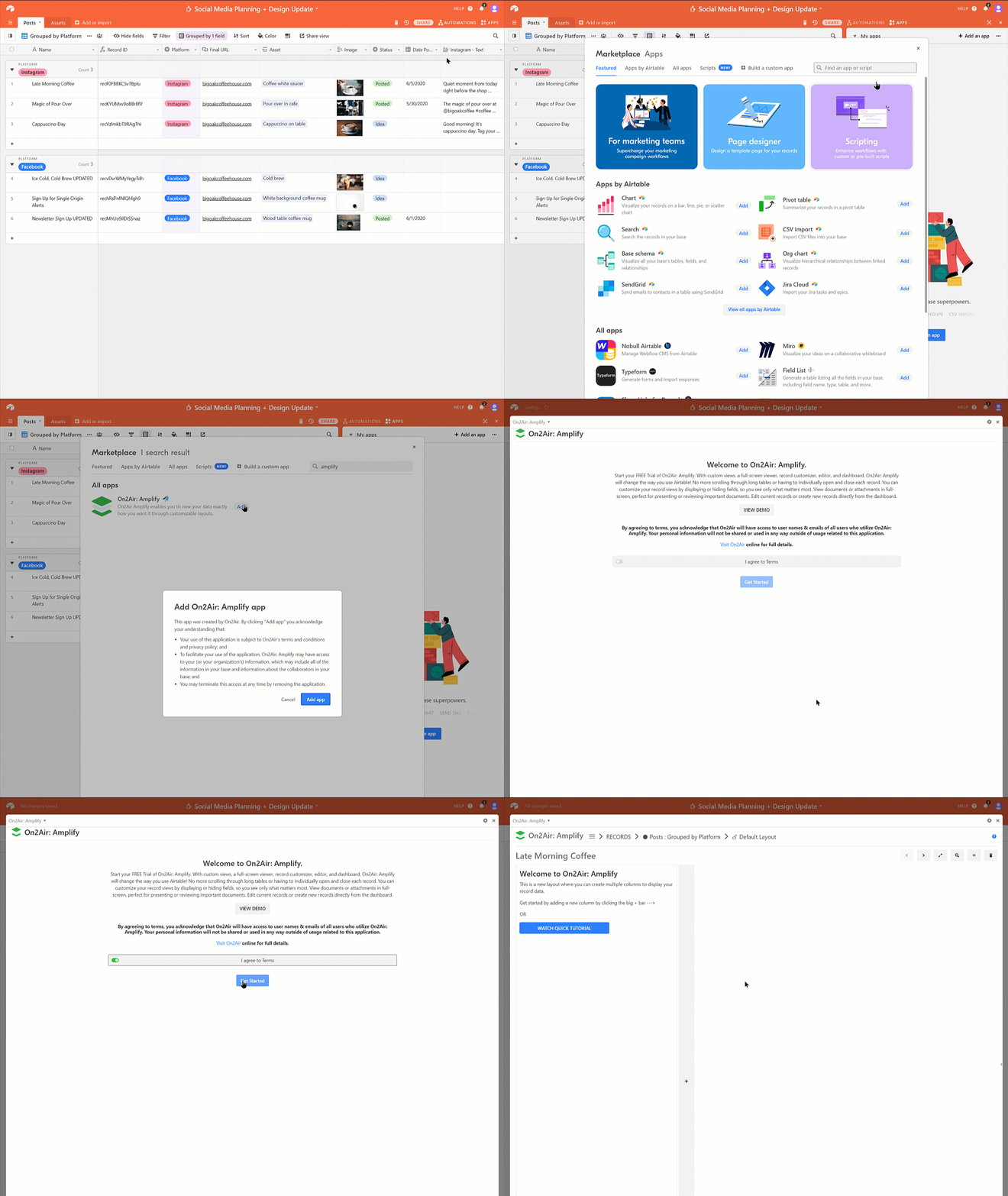
- Open the Apps panel in your Airtable base
- Click Add an app
- Search Amplify
- Click Add
- Click Add App
- Agree to the Terms
- Click Get started
Once the app is installed
- You will see a screen welcoming you to a free trial of On2Air: Amplify
- By default, we offer a 14-day free trial - You do not have to register a username for the trial version
Up next, let’s set up your Amplify dashboard!
Section titled “Up next, let’s set up your Amplify dashboard!”Check out the  Quick Start Guide