How to View Record IDs in Airtable
 On2Air Help Center >
  On2Air Backups Start a free trial
It’s helpful to see and use the unique Record ID for each record in Airtable.
💡
Learn about On2Air Backups - automated Airtable backups - on2air.com
To view the record ID
-
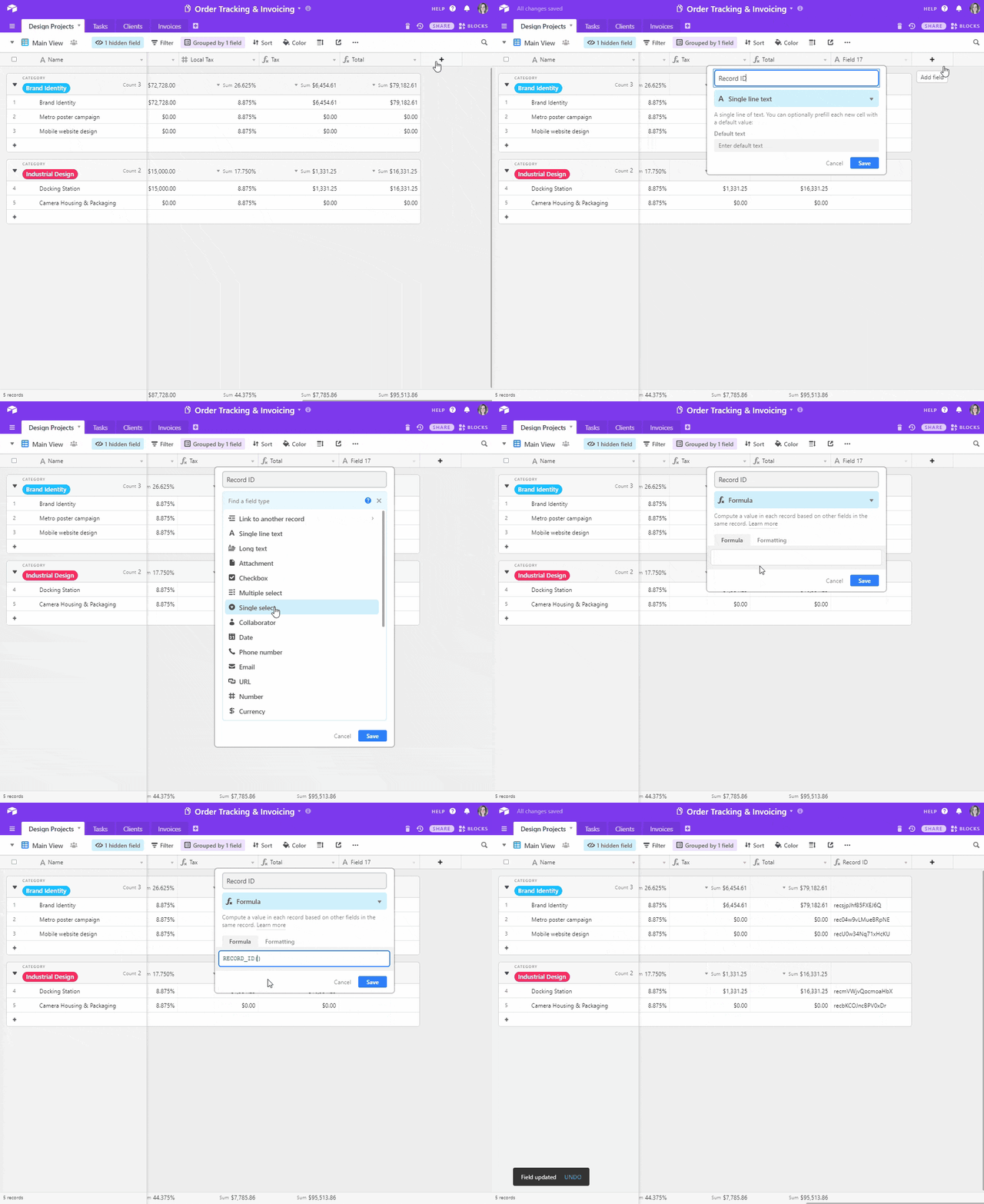
Add a Formula field in your table
-
Name the field Record ID
-
In the Formula field setup, type RECORD_ID()
-
Click Save
-
A unique Record ID will be automatically populated for every record
-
The Record ID format is recXXXXXXXXXXXXXX