Manage Your Subscription
 On2Air Help Center >
  On2Air Backups Start a free trial
Modify an Existing Subscription
Create a New Subscription
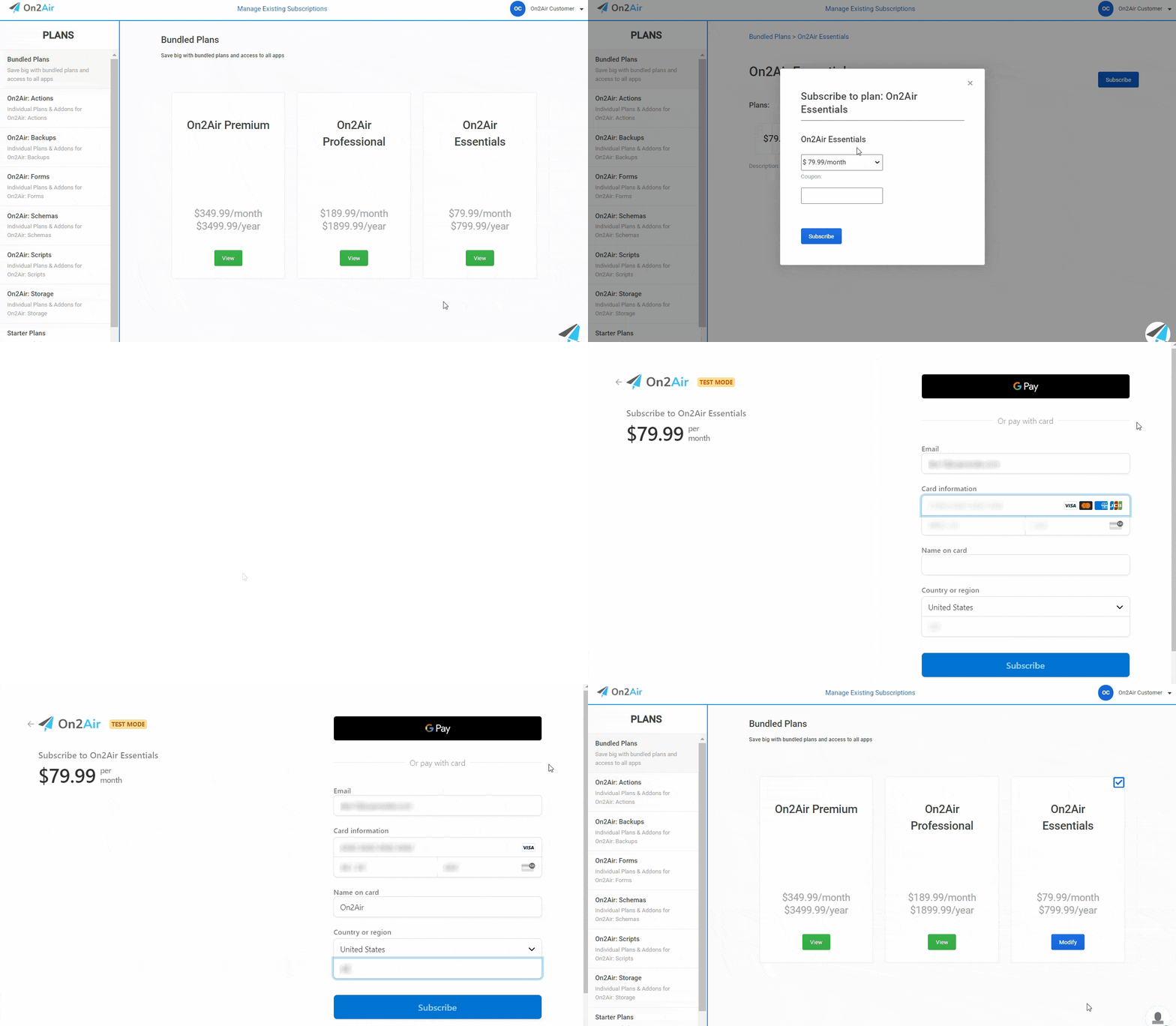
Section titled “Create a New Subscription”In the Settings app
- Click Upgrade/Add Plans in the menu
- Click View on your preferred plan
- Click Subscribe
- Choose the Monthly or Yearly plan option
- Click Subscribe
- Enter your:
Email Card Information Name on Card Country or Region Zip Code
- Click Subscribe
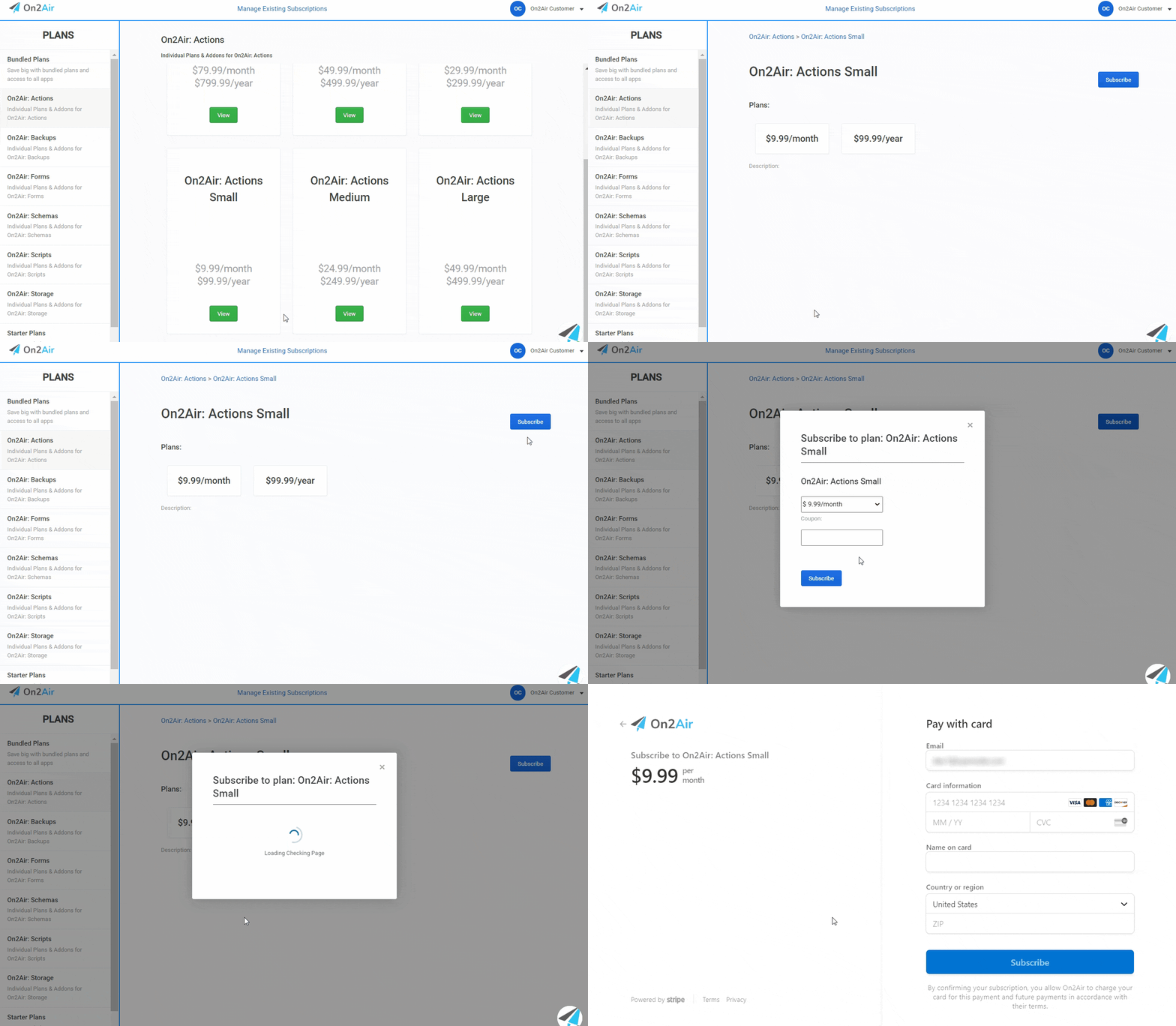
- Once an App Plan is chosen, you can select App Add-ons to customize to your specific needs (Optional)
- Click View on the Add-on you would like
- Click Subscribe
- Enter your:
Email Card Information Name on Card Country or Region Zip Code
- Click Subscribe
Modify An Existing Subscription
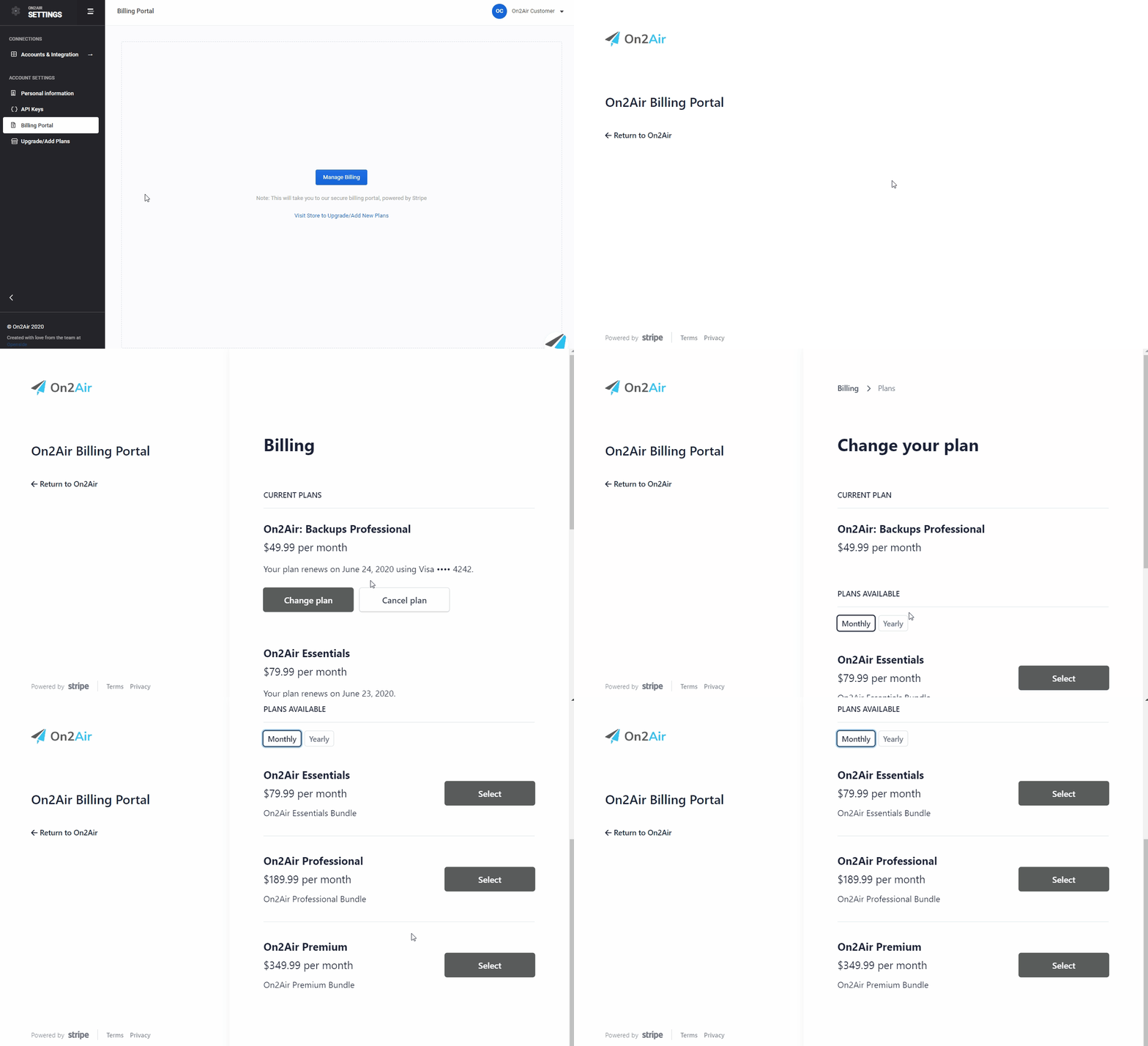
Section titled “Modify An Existing Subscription”In the Settings app
- Click Billing Portal in the menu
- Click Manage Billing
- Click Change Plan on the plan you want to change
If you need to change to a different plan, you will need to Cancel the existing plan and choose a new one
- Select the options you need to change your plan
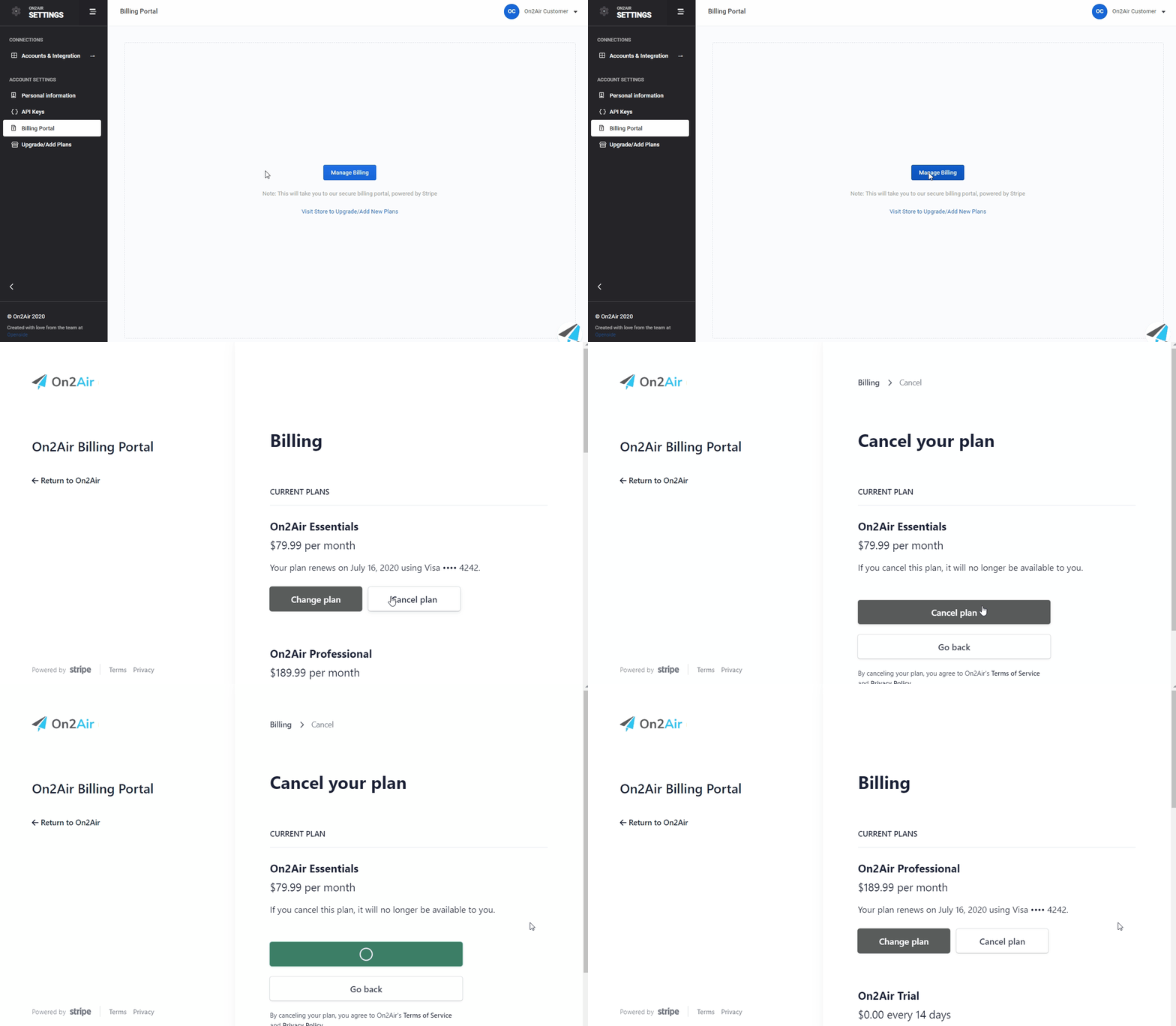
Cancel Your Subscription
Section titled “Cancel Your Subscription”In the Settings app
- Click Billing Portal in the menu
- Click Manage Billing
- Click Cancel Plan on the plan you want to cancel
- Click Cancel Plan again